1.5. Freight & Insurance
Records the movement of cargo (Freight) and the insurance (Insurance) status prepared for contingencies in international trade, and manages the schedule.
⚠️ Editing these items requires Manager or Editor permission on the project. Viewers can only look. If you don't have it, ask the project owner.
1. Freight Schedule Management
If saving fails with "Please enter freight type, origin, destination, container size, and departure date." — all five of those fields are required. Check which one is still empty. "Please select either Sea or Air for freight type." means no freight type is selected, and "Please check the Incoterms value." means the Incoterms entry is not one of the accepted values — pick it again from the dropdown.
Enter the shipment schedule information provided by the shipping line or forwarder.
- Register transport information: Select whether it is Ocean, Air, or inland transport.
- Key data to confirm: Confirm and enter in detail the Vessel Name, Voyage No, Port of Loading (POL), and Port of Discharge (POD) information.
- Schedule linkage (ETD / ETA): When you enter the estimated departure (ETD) and arrival (ETA) dates, they appear automatically on the project detail screen and the calendar, and you get a notification as the arrival date approaches.
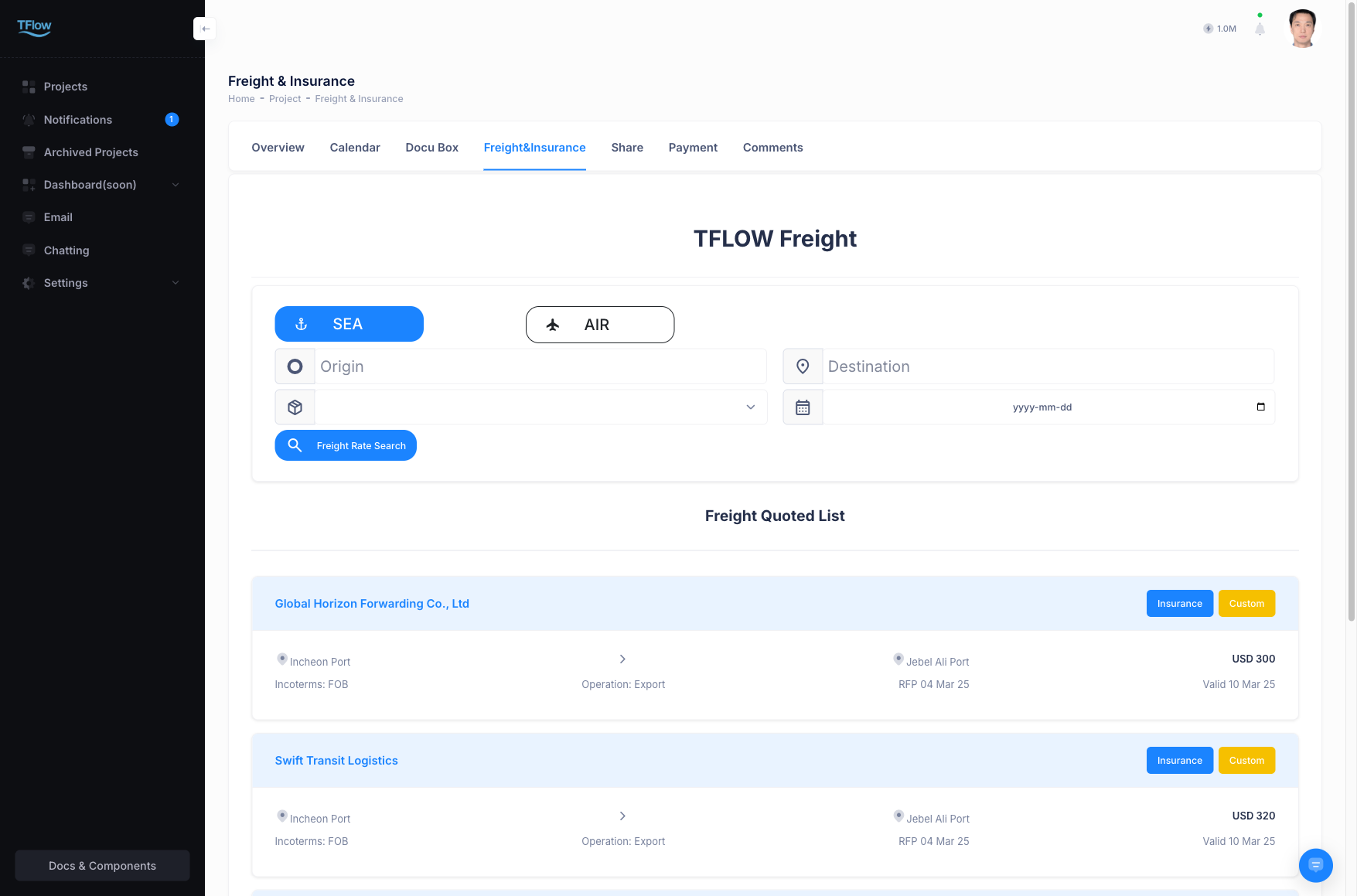
1-1. Freight Troubleshooting
- Q: "The arrival date keeps being delayed and the date has changed. If I update the ETA, is it reflected elsewhere too?"
- A: Yes. When you update and save the ETD (estimated departure) or ETA (estimated arrival) information in the
Freighttab, the linked project calendar group view and individual task schedules are also changed automatically. However, automatic schedule updates (Tracking) based on the vessel's current maritime location are currently manual-input based; automation via API integration with each shipping line is planned for the future.
- A: Yes. When you update and save the ETD (estimated departure) or ETA (estimated arrival) information in the
2. Insurance Record Management
Links the insurance certification information to prevent cargo damage.
- Incoterms conditions: Depending on the contract export conditions (FOB, CIF, CIP, etc.), it must be confirmed who bears the insurance obligation, and the applicable insurance terms are recorded.
- Certificate attachment linkage: Scan the Insurance Policy you received from the insurer and press
Attach Fileon this screen, or link a file you already uploaded to the Documents tab. - Claim registration: If a claim is filed due to damage/delay, you must record the issue details and progress status in comments.
2-1. Insurance Troubleshooting
- Q: "Because the Incoterms is FOB, the insurance information input field is disabled."
- A: Under Incoterms where the exporter does not bear the transport risk (FOB, EXW, etc.), the insurance fields are greyed out and locked. If you still need to fill them in, change the Incoterms setting at the top of the screen first.